

Requirements
- You must have the
credits:purchasepermission in the organization (or be an admin) - A valid credit or debit card
Credit Packages
Choose from preset packages or enter a custom amount. See the Pricing page for current package details and amounts.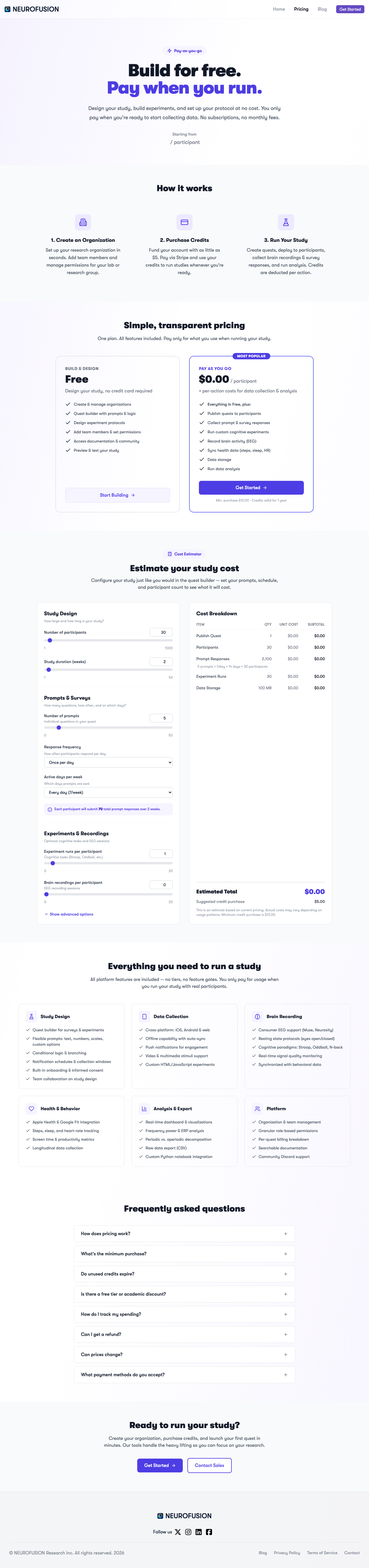
The NeuroFusion pricing page showing pay-as-you-go plans and cost estimator
How to Purchase
- Navigate to your organization’s Billing page
- Click Add Credits
- Select a preset package or enter a custom amount
- Click Purchase — you’ll be redirected to Stripe Checkout
- Complete payment with your card
- Credits are added to your organization’s balance automatically
Payment Processing
A Stripe customer is automatically created for your organization the first time you make a purchase. Subsequent purchases use the same Stripe customer.