

Supported Devices
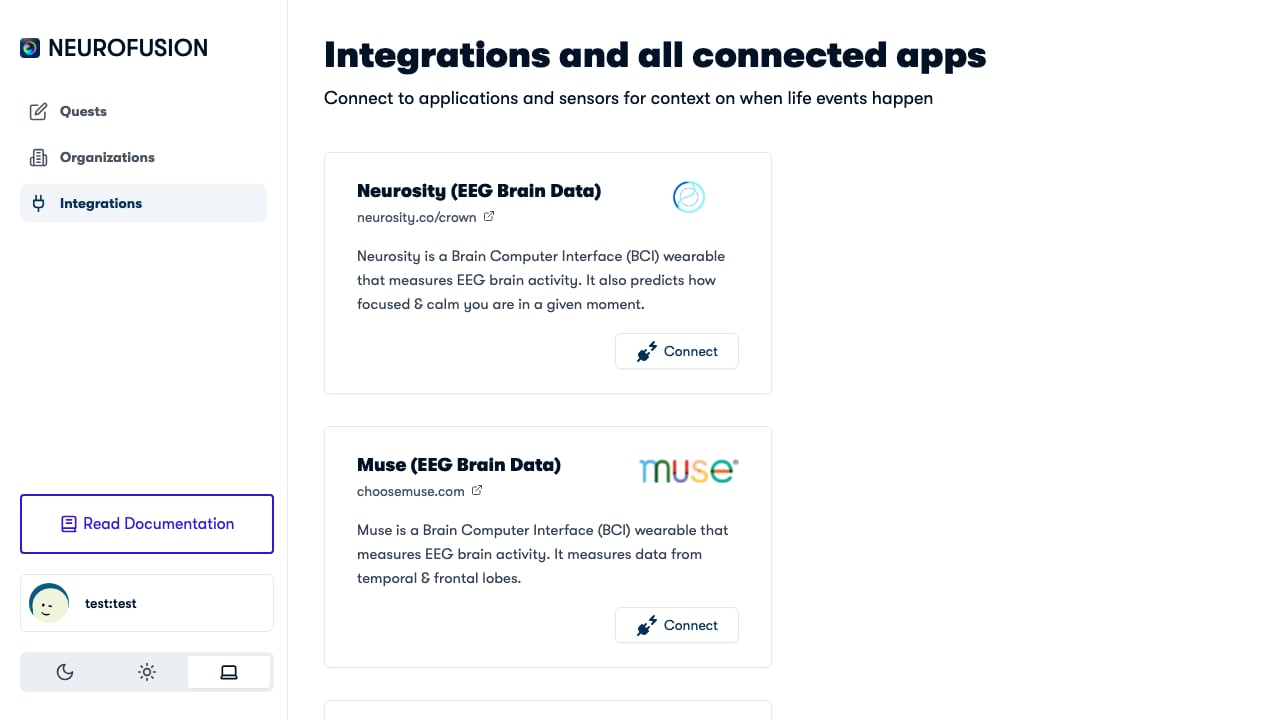
The Integrations page showing available brain interface and wearable connections
Connecting Your Device
Neurosity Crown — OAuth Authentication
- Navigate to the Devices section in the Fusion dashboard
- Click Connect Neurosity Crown
- You’ll be redirected to Neurosity’s OAuth page at neurosity.co
- Sign in with your Neurosity account and authorize Fusion
- After authorization, you’re redirected back to Fusion with an access token
- Select your device from the list of available Neurosity devices
Muse — Bluetooth Pairing
- Ensure your Muse headset is powered on and in pairing mode
- Navigate to the Devices section in the Fusion dashboard or mobile app
- Click Connect Muse
- Select your Muse device from the Bluetooth list
- The connection is established via the muse-js library
Recording a Session (Neurosity Crown)
When you start a recording with a Neurosity Crown, Fusion captures 8 simultaneous data streams:Data Format
- Raw brainwaves: Each row contains a
timestamp,unixTimestamp, and one column per EEG channel (e.g.,CP3,C3,F5, etc.) - Power by band: Each row contains a
timestampand columns like{channel}_alpha,{channel}_beta,{channel}_delta,{channel}_gamma,{channel}_theta - Signal quality: Each row has a
timestamp,{channel}_value(standard deviation), and{channel}_status - PSD: Each row has a
timestampand one column per channel with semicolon-separated frequency values
Recording a Session (Muse)
When you start a recording with a Muse headset, Fusion captures 2 data streams:Muse Specifications
Data Format
- Raw brainwaves: Each row contains an
index,unixTimestamp, and one column per channel (TP9,AF7,AF8,TP10) - Events: Each row contains a
startTimestamp,duration, anddata(JSON-encoded experiment metadata)
Neurosity Crown vs. Muse — Data Comparison
Data Storage
Recordings are handled in two ways:- Local download — a ZIP file containing all 8 CSV files is always downloaded to your computer
- Server upload — if the recording is part of a quest, each data stream is also uploaded to Azure Blob Storage as a separate dataset
Local downloads always happen, ensuring you never lose data even if the upload fails.
Billing
Each brain recording is billed asbrain_recording to the quest’s organization. See the Pricing page for current costs.
Use Cases
Tips
- Check signal quality before starting a recording — look for “good” status across all channels
- Use the events stream to mark experiment phases for later alignment
- Ensure a stable Bluetooth connection between the EEG device and the computer
- For mobile recordings, the Fusion app handles device connectivity through the same flow
- The Neurosity Crown streams additional data (focus, calm predictions) that the Muse does not provide