

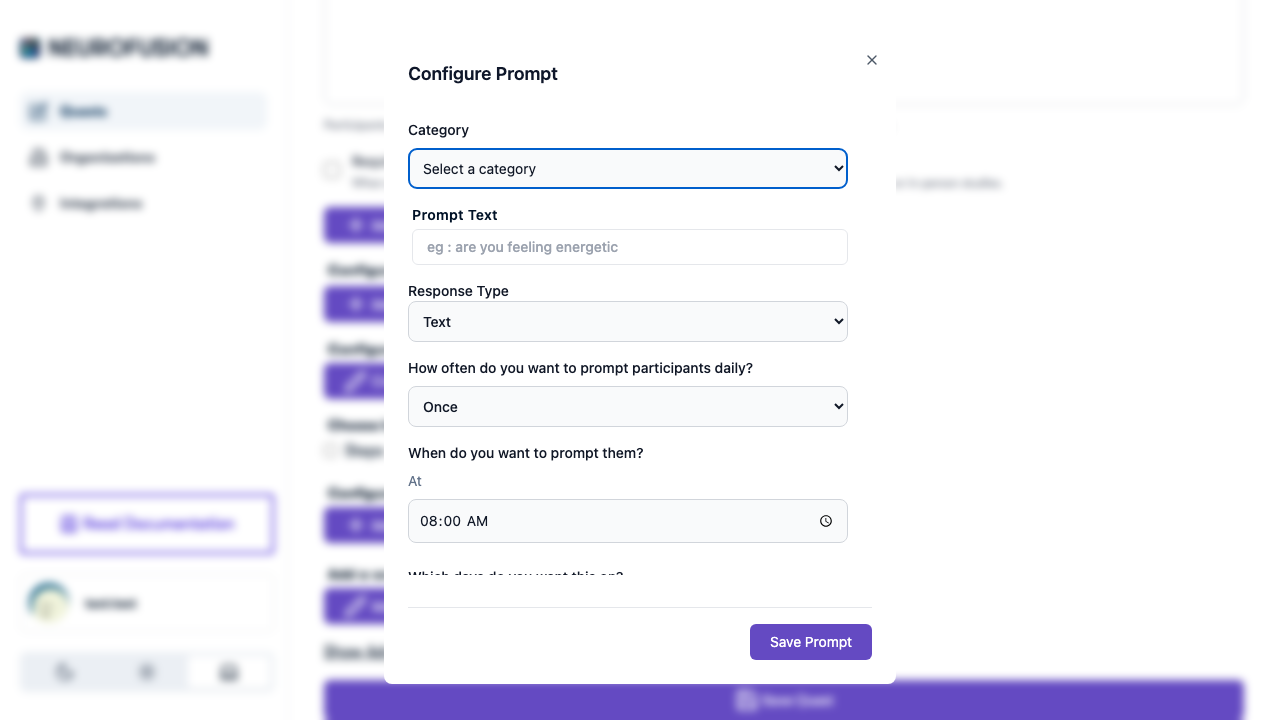
The prompt scheduling options including frequency, time, and days
Active Days
Choose which days of the week the prompt fires. Each day has an independent toggle.
All days are enabled by default. Disable specific days for studies that only need data on certain days (e.g., weekdays only).
Time Window
Set the time range during which the prompt can fire each day.- When frequency is set to “Once”, the picker shows a single “At” time, and the end time is automatically set to start + 2 minutes
- When frequency is anything else, the picker shows “Between [start] And [end]” with two time pickers
Frequency
How many times per day the prompt fires within the time window.Notifications
Each prompt has a notifications toggle. When enabled, participants receive push notifications at the scheduled times to remind them to respond.Examples
Daily Morning Check-in
“How did you sleep last night?”
Hourly Stress Rating (Weekdays)
“Rate your current stress level (1–10):“
Twice-Daily Mood Tracking
“How are you feeling right now?”
Prompt defaults when creating a new prompt: all days enabled, start time 08:00, end time 22:00, frequency “Once”, notifications on.